Đến bài 19, bạn đã có đủ nền tảng để đọc bài này đúng cách. Bài 16 về multi-agent patterns cho thấy supervisor, handoff, debate là pattern thuần logic, không phụ thuộc framework. Bài 18 về specialized agent roles cho thấy planner, executor, reviewer là role, không phải class. Framework là thứ ngồi bên trên, đóng gói những pattern đó vào API.
Câu hỏi không phải “framework nào tốt nhất”. Câu hỏi đúng là: bài toán của bạn cần loại control flow nào, và framework nào tổ chức control flow đó khớp với cách bạn nghĩ?
Bài này trả lời câu hỏi đó.
Ba framework, ba cách nghĩ khác nhau
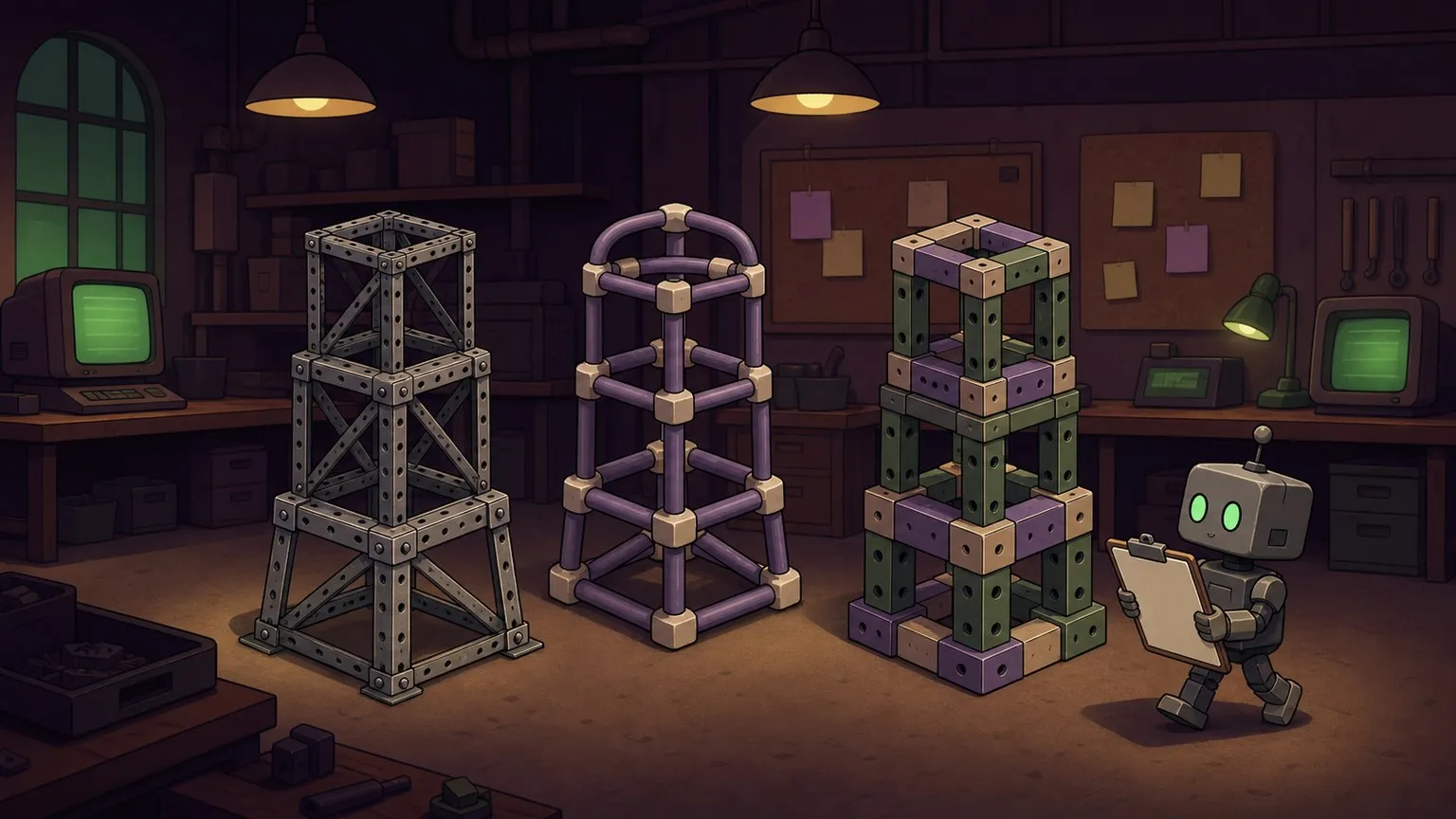
Cả ba framework giải cùng một vấn đề: làm sao tổ chức nhiều LLM call, nhiều tool call, nhiều agent thành một hệ thống có thể debug và maintain? Ba cách nhìn khác nhau dẫn đến ba API surface rất khác nhau.
LangGraph nhìn agent system như một state machine. Graph là tập nodes (functions xử lý state) và edges (điều kiện chuyển node). State là dict chia sẻ giữa các node. Bạn explicit khai báo “node A dẫn đến node B khi condition C”, thay vì để framework tự quyết.
CrewAI nhìn agent system như một tổ chức. Bạn khai báo Agents có roles, backstory, goals. Bạn khai báo Tasks với mô tả, agent được assign. Crew orchestrate thứ tự. API thiên về “mô tả nghiệp vụ”, không phải control flow.
AutoGen v0.4 (kiến trúc event-driven mới từ 2024) nhìn agent system như một hệ thống actors. Agent là event subscriber và publisher. Thay vì synchronous call-and-return, agent phát event, các agent khác subscribe và phản hồi. Async là default.
Ba cách nhìn này không mâu thuẫn. Chúng là three different trade-offs giữa control, speed-of-development, và production readiness.
Cùng một task, ba cách viết
Task: phân tích một GitHub issue, viết draft comment, reviewer check lại trước khi post.
LangGraph: explicit state graph
from langgraph.graph import StateGraph, END
from typing import TypedDict, Annotated
import operator

class IssueState(TypedDict):
    issue_text: str
    draft_comment: str
    review_feedback: str
    approved: bool
    iteration: int

def analyze_and_draft(state: IssueState) -> IssueState:
    """Node 1: LLM đọc issue và viết draft comment."""
    response = llm.invoke(
        f"Phân tích issue sau và viết draft comment:\n{state['issue_text']}"
    )
    return {
        **state,
        "draft_comment": response.content,
        "iteration": state.get("iteration", 0) + 1,
    }

def review_draft(state: IssueState) -> IssueState:
    """Node 2: reviewer LLM check draft, quyết định approve hay reject."""
    response = llm.invoke(
        f"Review draft comment sau, trả lời APPROVED hoặc NEEDS_REVISION kèm lý do:\n{state['draft_comment']}"
    )
    approved = "APPROVED" in response.content.upper()
    return {
        **state,
        "review_feedback": response.content,
        "approved": approved,
    }

def should_continue(state: IssueState) -> str:
    """Edge condition: approve thì kết thúc, không thì quay lại draft."""
    if state["approved"]:
        return "done"
    if state["iteration"] >= 3:
        return "done"  # safety cap
    return "retry"

# Xây graph explicit
graph = StateGraph(IssueState)
graph.add_node("draft", analyze_and_draft)
graph.add_node("review", review_draft)
graph.add_edge("draft", "review")
graph.add_conditional_edges("review", should_continue, {
    "done": END,
    "retry": "draft",
})
graph.set_entry_point("draft")

app = graph.compile()
result = app.invoke({"issue_text": "Button không click được trên iOS Safari"})
print(result["draft_comment"])
Điều đáng chú ý: add_conditional_edges là nơi bạn explicit khai báo loop. Framework không tự quyết định khi nào lặp. Bạn quyết định.
CrewAI: role-based declarative
from crewai import Agent, Task, Crew

analyst = Agent(
    role="GitHub Issue Analyst",
    goal="Phân tích issue và viết comment rõ ràng, có hành động cụ thể",
    backstory="Senior dev 10 năm, quen với bug report cộng feature request",
    llm="claude-sonnet-4-6",
    verbose=False,
)

reviewer = Agent(
    role="Comment Reviewer",
    goal="Đảm bảo comment technical chính xác và có tone phù hợp",
    backstory="Tech lead quen review PR và issue comment",
    llm="claude-sonnet-4-6",
    verbose=False,
)

draft_task = Task(
    description="Phân tích GitHub issue: {issue_text}. Viết comment phản hồi.",
    expected_output="Draft comment cho issue, markdown format",
    agent=analyst,
)

review_task = Task(
    description="Review draft comment từ analyst. Approve hoặc đề xuất chỉnh sửa.",
    expected_output="Final comment sau khi review, sẵn sàng post",
    agent=reviewer,
    context=[draft_task],  # reviewer thấy output của draft_task
)

crew = Crew(
    agents=[analyst, reviewer],
    tasks=[draft_task, review_task],
    verbose=False,
)

result = crew.kickoff(inputs={"issue_text": "Button không click được trên iOS Safari"})
print(result.raw)
Cú pháp ngắn hơn nhiều. Nhưng control flow được CrewAI quyết định. Bạn khai báo “review_task depend on draft_task”, framework tự sắp xếp thứ tự. Không có add_conditional_edges. Muốn retry logic thì phải vào config của Crew, không phải viết code.
AutoGen v0.4: event-driven async
import asyncio
from autogen_agentchat.agents import AssistantAgent
from autogen_agentchat.teams import RoundRobinGroupChat
from autogen_agentchat.conditions import MaxMessageTermination
from autogen_ext.models.anthropic import AnthropicChatCompletionClient

model_client = AnthropicChatCompletionClient(model="claude-sonnet-4-6")

analyst = AssistantAgent(
    name="analyst",
    model_client=model_client,
    system_message="Bạn là GitHub issue analyst. Phân tích issue và viết draft comment.",
)

reviewer = AssistantAgent(
    name="reviewer",
    model_client=model_client,
    system_message=(
        "Bạn là reviewer. Nhận draft comment từ analyst, "
        "check technical accuracy và tone, đưa ra final version. "
        "Khi satisfied, reply bằng APPROVED."
    ),
)

termination = MaxMessageTermination(max_messages=6)
team = RoundRobinGroupChat(
    participants=[analyst, reviewer],
    termination_condition=termination,
)

async def run():
    result = await team.run(
        task="Button không click được trên iOS Safari. Viết comment phản hồi issue này."
    )
    print(result.messages[-1].content)

asyncio.run(run())
AutoGen v0.4 organization model: agents tham gia vào một GroupChat, tin nhắn đi round-robin hoặc theo selector, termination condition quyết định khi nào dừng. Async là default vì AutoGen thiết kế cho concurrency, nhiều agent có thể process song song.
So sánh API surface và learning curve
| Chiều | LangGraph | CrewAI | AutoGen v0.4 |
|---|---|---|---|
| Mental model | State machine | Team tổ chức | Actor / event-driven |
| Control flow | Explicit graph | Declarative tasks | Message passing |
| State management | TypedDict explicit | Framework quản lý | Message history |
| Loop/retry | add_conditional_edges | Config-based | Termination condition |
| Async | Có (opt-in) | Có (opt-in) | Default |
| Debug | Graph visualization, step trace | Task output log | Message trace |
| Learning curve | Cao (graph concept) | Thấp (nghiệp vụ quen) | Trung bình (async pattern) |
| Lock-in | LangChain ecosystem | CrewAI conventions | Microsoft ecosystem |
| Docs quality (2026) | Tốt, ổn định | Tốt, đang tăng | Đang refactor v0.4 |
Pitfall tôi không muốn quên: abstraction che retry loop
Câu chuyện: tôi build một review pipeline với LangGraph. Reviewer agent có task reject draft nếu thiếu steps to reproduce. Draft agent retry. Logic trông sạch.
Tuần đầu deploy, agent gặp một issue nơi user cố tình không cung cấp steps to reproduce. Reviewer cứ reject. Draft agent cứ retry theo graph. Có iteration counter nhưng tôi viết điều kiện sai:
# BUG: điều kiện này không bao giờ True
def should_continue(state):
    if state["approved"] or state["iteration"] > 10:
        return "done"
    return "retry"

# iteration bắt đầu từ 0, increment TRƯỚC khi check
# iteration > 10 chỉ True khi iteration = 11
# Vậy agent chạy 12 lần thay vì 10
Đây là off-by-one quen thuộc. Nhưng điều thú vị là LangGraph không raise lỗi, không warn, không có gì. Graph chạy đúng spec, spec sai. Agent thực hiện 12 LLM call × 2 agent × 1500 token = ~36K token cho một issue không có steps to reproduce.
Trong raw loop code (như bài 5 first agent from scratch), off-by-one kiểu này visible ngay trong for loop: for i in range(max_iter) và bạn thấy ngay iteration count trong log. Trong LangGraph, iteration state nằm trong TypedDict, conditional edge nằm ở một function khác. Hai mảnh code cần match nhau nhưng ở hai nơi. Framework abstraction che mất sự liên kết.
Bài học: khi dùng framework, viết test cho boundary conditions của conditional edges. LangGraph state graph nên có unit test kiểm tra should_continue function với mọi boundary state, không chỉ happy path.
def test_should_continue_cap():
    state = {"approved": False, "iteration": 3}
    assert should_continue(state) == "done"  # iteration >= 3 thoát

def test_should_continue_approve():
    state = {"approved": True, "iteration": 1}
    assert should_continue(state) == "done"
CrewAI có pitfall khác: vì control flow ẩn, khi task B fail, không rõ framework retry hay skip. Phải đọc docs kỹ về max_retry_limit và human_input flag, không intuitive.
AutoGen có pitfall khi dùng RoundRobinGroupChat: nếu không set termination condition đúng, agents có thể tạo ra vòng đối thoại không đi đến đâu, analyst hỏi reviewer hỏi ngược lại, round-robin nhưng không converge.
Khi nào nên skip framework và code raw
Một câu hỏi nhiều người né: khi nào không cần framework?
Skip framework khi:
Bạn chỉ có một agent đơn giản. Single agent với tools, linear flow, không có routing phức tạp. Bài 1 đến bài 15 của series này đều chỉ cần Anthropic SDK thuần. Framework thêm dependency, thêm abstraction layer, thêm điểm failure không cần thiết.
Bạn cần control tuyệt đối về token flow. Framework thường thêm system message, thêm wrapper prompt mà bạn không thấy. Khi optimize cost hay latency (bài 22 về cost và latency), hidden prompt là điểm mù. Raw SDK cho bạn thấy chính xác bao nhiêu token đi vào model.
Bạn đang debug một production incident. Framework stack trace thêm layers. Error xảy ra trong CrewAI task thường surface như generic exception. Raw code, error xảy ra ở LLM call cụ thể mà bạn biết chính xác là call thứ mấy, state lúc đó là gì.
Team chưa quen framework. LangGraph learning curve cao. Một dev không quen graph concept sẽ mất nhiều thời gian debug hơn là tự viết loop.
Dùng framework khi:
Bạn cần state management phức tạp với nhiều node. LangGraph TypedDict state tốt hơn nhiều so với tự maintain dict qua các function.
Bạn cần team business-side đọc code. CrewAI Agent với role/backstory/goal dễ đọc hơn for loop với conditional. PM hoặc non-dev có thể hiểu ý nghĩa.
Bạn cần concurrency thật sự. AutoGen v0.4 với async actor model phù hợp khi có nhiều agent cần chạy song song, không phải sequential pipeline.
Trade-off thật sự cần cân nhắc
Không phải “LangGraph tốt hơn CrewAI” hay “AutoGen enterprise-ready hơn”. Trade-off thực tế:
Speed of development vs control: CrewAI cho prototype nhanh nhất, thường 40-50% ít code hơn LangGraph cho cùng use case. LangGraph cho control tốt nhất, mọi điều kiện phải explicit. AutoGen ở giữa nhưng async model thêm cognitive load nếu team chưa quen.
Framework lock-in: LangGraph nằm trong LangChain ecosystem. Khi LangChain deprecate hoặc refactor (đã xảy ra nhiều lần từ 2023), code bị ảnh hưởng. CrewAI là công ty riêng, roadmap riêng. AutoGen v0.4 là rewrite lớn từ v0.2, breaking changes xảy ra. Raw SDK ít phụ thuộc nhất vào bên thứ ba.
Debug experience: Tôi thấy LangGraph debug tốt nhất nhờ LangSmith integration và graph visualization. Khi agent làm điều kỳ lạ, có thể replay từng step. CrewAI verbose mode cho output khá đọc được nhưng không tới mức LangSmith. AutoGen message trace dày nhưng khó navigate khi nhiều agent.
Ecosystem và tooling: LangChain/LangGraph có nhiều integration nhất (vector store, document loader, tool library). Nếu dùng nhiều thứ trong LangChain ecosystem thì LangGraph fit tự nhiên. CrewAI tích hợp tốt với các LLM provider phổ biến nhưng ecosystem nhỏ hơn. AutoGen từ Microsoft nên integrate tốt với Azure, nhưng ecosystem non-Azure nhỏ hơn.
Bảng chọn nhanh framework
| Tình huống | Recommendation |
|---|---|
| Prototype nhanh, demo trong 1-2 ngày | CrewAI |
| Pipeline phức tạp, nhiều nhánh, cần debug trace | LangGraph |
| Multi-agent concurrent, async thật sự cần thiết | AutoGen v0.4 |
| Single agent, optimize cost/latency | Raw SDK |
| Team không có Python async experience | LangGraph hoặc CrewAI |
| Cần PM/stakeholder đọc code | CrewAI |
| Production với strict SLA | Raw SDK hoặc LangGraph với test đầy đủ |
| Azure/Microsoft stack | AutoGen |
| Budget nhỏ, cần tối ưu token mọi call | Raw SDK |
| Bài toán supervisor/subagent pattern | LangGraph (xem bài 16) |
| Bài toán planner/executor/reviewer roles | CrewAI hoặc LangGraph (xem bài 18) |
Chốt lại: chọn framework sau khi hiểu loop
Cả ba framework giải cùng vấn đề. Không có “đúng” hay “sai”. Có trường hợp phù hợp.
Nếu tôi phải chọn một điểm duy nhất: hãy hiểu control loop trước khi dùng framework. Khi bạn đã tự viết agent loop với raw SDK (bài 5), đọc LangGraph graph model sẽ ngay lập tức thấy nó đang làm gì bên dưới. Khi bạn đã hiểu supervisor pattern (bài 16) và specialized roles (bài 18), CrewAI Crew và AutoGen GroupChat chỉ là implementation, không phải concept mới.
Framework là công cụ tổ chức code, không phải giải pháp cho kiến trúc kém. Một agent loop viết tệ trong raw code vẫn tệ trong LangGraph. Pitfall retry vô hạn vẫn xảy ra, chỉ khó debug hơn.
Nếu vẫn phân vân, build một loop raw trước. Sau đó chọn framework vì nó giảm code hoặc tăng observability, không phải vì nó làm agent “thông minh hơn”.
Anthropic SDK agents và Claude Code agents là case study tiếp theo: một hệ multi-agent phức tạp được build không bằng LangGraph hay CrewAI, mà bằng boundary rõ và orchestration vừa đủ.